
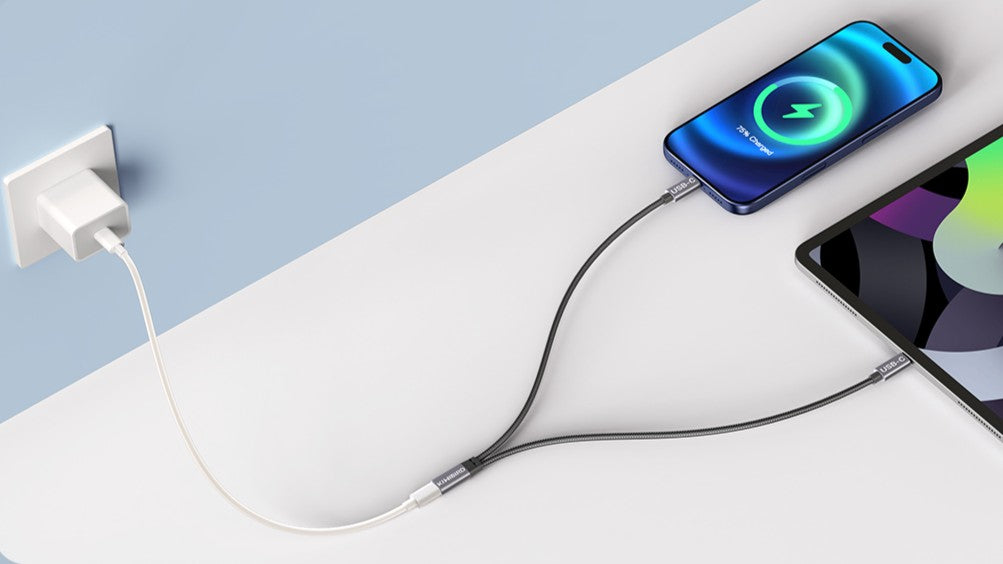

Need to charge two USB-C devices but only have one cable or one charger port? A charging-only USB-C Y splitter can turn a single USB-C charging connection into two charging outputs—handy for travel, car chargers, and power banks when you want to power a phone plus another device without carrying extra adapters.
1) What this USB-C Y splitter is
This accessory is a USB-C power splitter (1 in 2 out) designed for charging. It turns one USB-C charging connection into two outputs so you can power two devices at the same time.
2) What it does (and doesn’t do)
- It does: Charging only, up to a maximum output of 5V / 2A (total).
- It does NOT: Data transfer, USB hub functions, CarPlay / Android Auto, or video output.
Bottom line: This is a simple charging solution focused purely on powering devices.
Looking for the splitter featured in this guide? Shop the USB-C Charging Y Splitter here.
3) Quick setup (3 steps)
- Connect your charger’s USB-C plug (from a wall charger, power strip, or power bank cable) to the splitter’s USB-C female input.
- Plug the splitter’s two USB-C male ends into your two devices.
- Start charging. If one device is low-power (earbuds case, small gadget), connect it first, then connect your phone.
4) Best use cases
- Travel: Charge a phone + earbuds case from one charger while packing fewer accessories.
- Car charging: Use one USB-C charging connection to top up two devices on the go.
- Desk setup: Keep a phone and a small USB-C device powered from one cable.
5) Charging expectations (read this first)
- The splitter is designed for charging only with a maximum output of 5V / 2A (total). When two devices are connected, the available power is shared.
- If your phone charges slowly while two devices are connected, unplug the second device temporarily for faster charging.
- For best stability, use a reliable charger and a good quality USB-C cable.
6) Compatibility checklist
Typical compatible devices: USB-C phones and many low-power USB-C devices (for example wireless earbuds charging cases, small desk fans, LED lights, mini speakers).
Examples listed by the manufacturer: recent iPhone models (USB-C), iPad models, and Samsung Galaxy S-series phones, plus other Android phones and power banks.
| Supported | Not supported |
|---|---|
| Charging two devices from one USB-C charging connection | Data transfer |
| Phone + earbuds case / small gadget | USB hub functions |
| Travel / car / power bank charging | CarPlay / Android Auto |
| Basic power splitting (charging only) | Video output (monitor / display) |
7) Troubleshooting
Problem A: One device charges, the other doesn’t
- Unplug both ends, then reconnect: charger → splitter input → device 1 → device 2.
- Try swapping which device is plugged in first.
- Test each device alone to confirm both devices and the charger work normally.
Problem B: Charging is very slow
- Remember the maximum output is 5V / 2A total and power is shared between two devices.
- Charge one device at a time for faster charging, or connect a low-power device (earbuds case) as the second device.
Problem C: I expected data / CarPlay / monitor output
- This splitter is charging only. It is not compatible with data transfer, CarPlay/Android Auto, or video output.
Shop the guide
USB-C Charging Y Splitter (1 Female to 2 Male)
Still need help? Contact us


Share:
How to Split One HDMI Source to Two Screens (Mirror Mode): A Practical Setup Guide
How to Transfer Photos from CF/SD Cards to iPhone (USB-C Card Reader Guide)